
Step-by-step guide
Create a ready-to-use Codex profile without entering an API key.
The subscription flow connects registration, plan purchase, payment, and device authorization. Codex Multi Launcher then configures the service URL, model, and device credential automatically.
- Install the latest official Codex / ChatGPT desktop app.
- Update Codex Multi Launcher to v0.1.9 or later.
- Keep Codex Multi Launcher open while completing authorization in your browser.
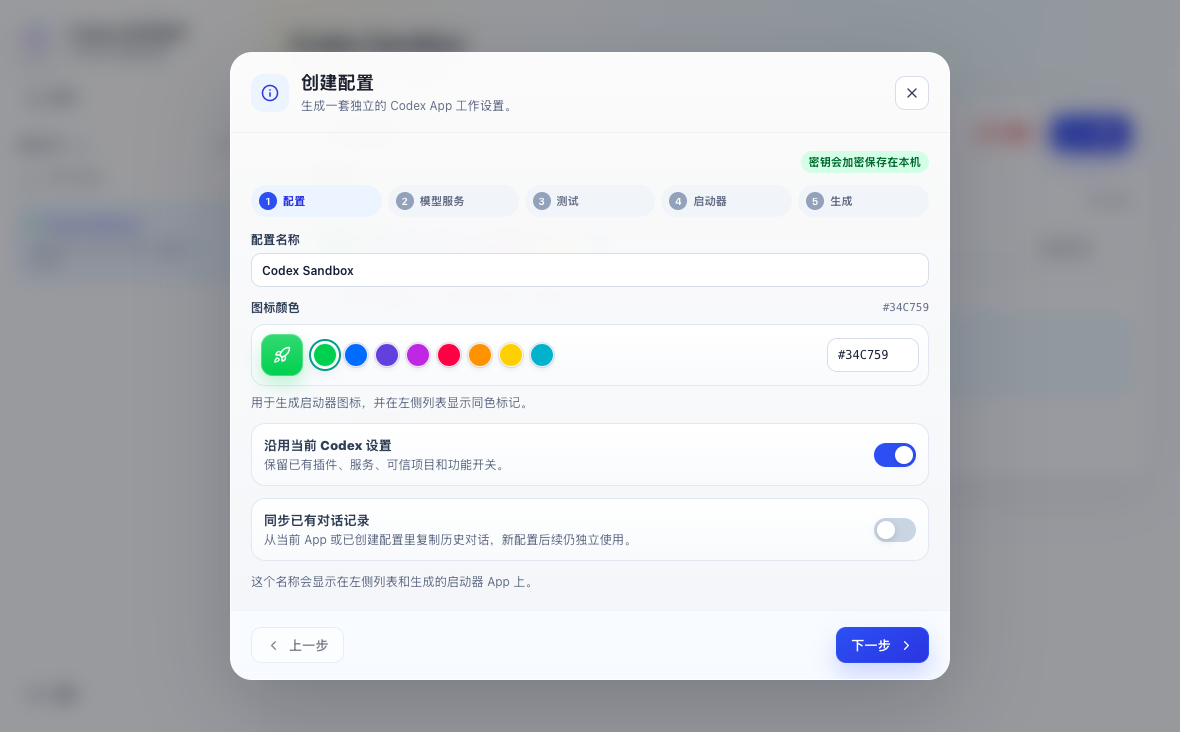
1. Create a profile
Select the + button beside the profile list, give the profile a recognizable name, and choose whether to copy existing settings or conversations.
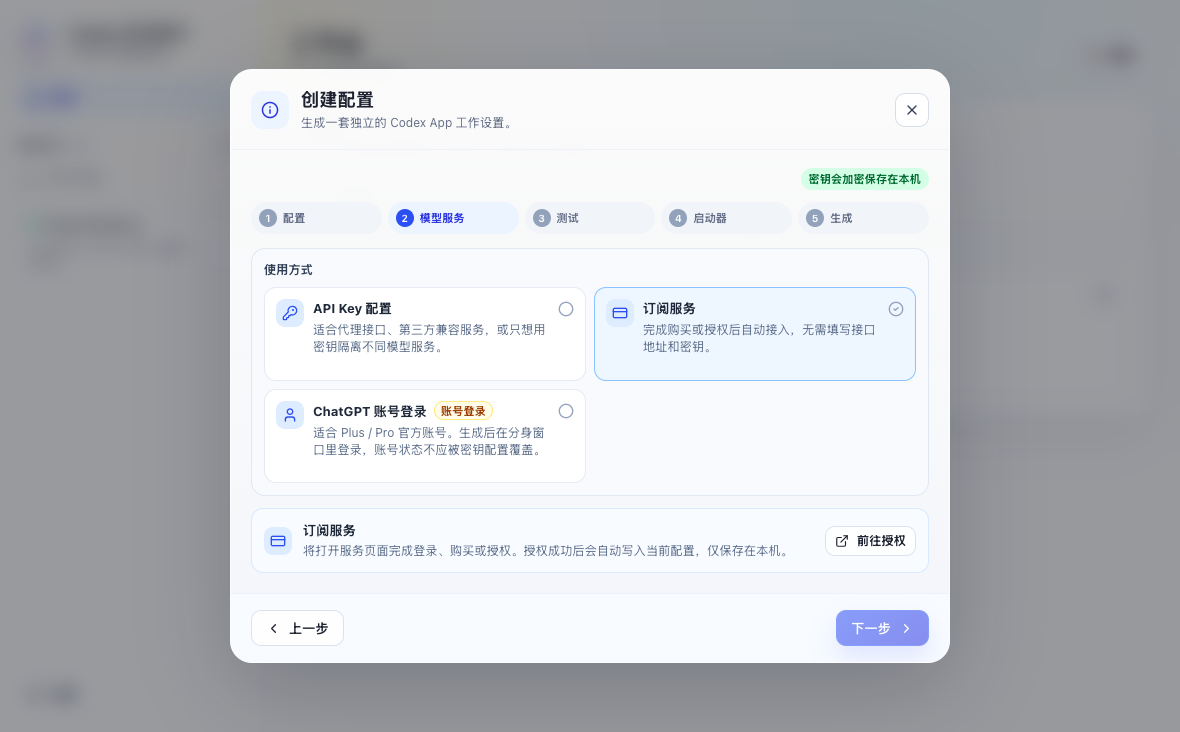
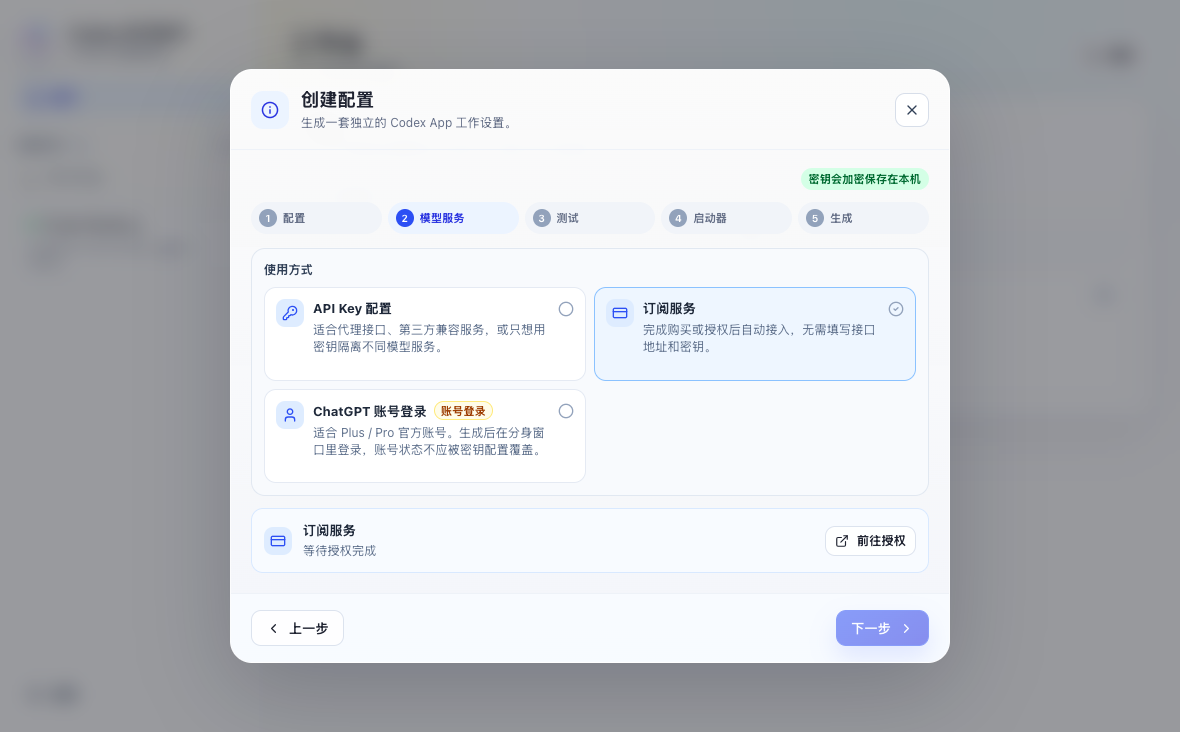
2. Select Subscription Service
Under the usage method, select Subscription Service. You do not need to enter a Base URL, model, or API key.
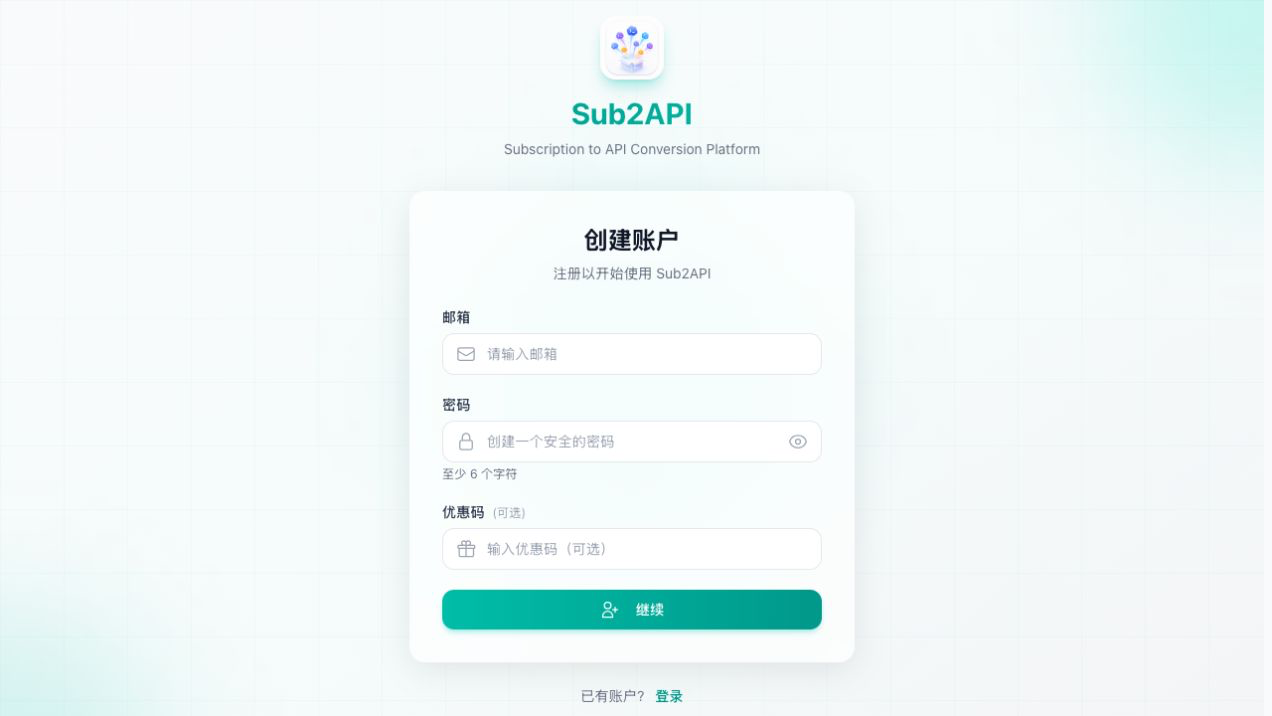
3. Register or sign in
New users create an account and verify their email. After verification, the original authorization flow continues to the available plans. Existing users can sign in directly.
4. Choose a plan and pay
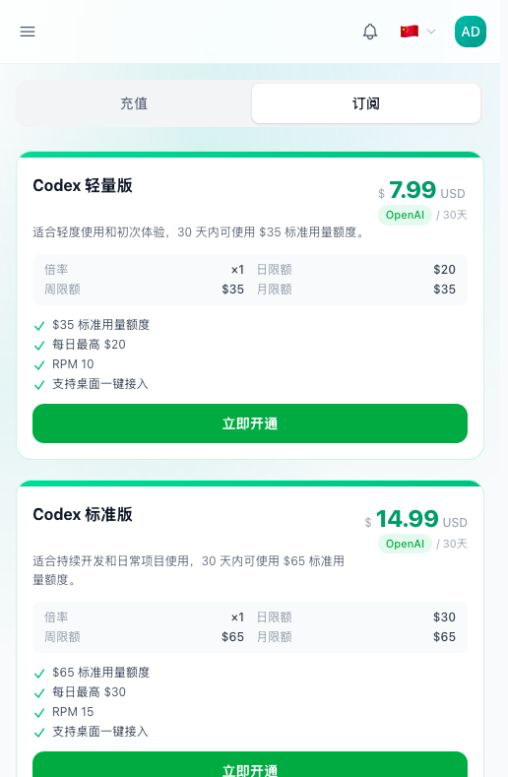
Choose a plan based on your usage. Current price, validity period, and daily, weekly, or monthly limits are shown on the purchase page.
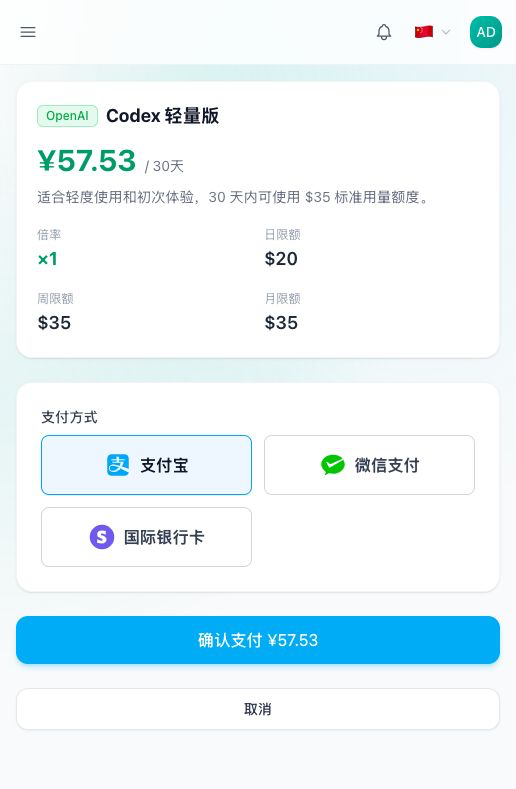
- International card: charged in USD, with the available card and Link options shown by Stripe.
- Alipay: charged in CNY.
- WeChat Pay: charged in CNY.
Launch benefits: try first, get more at the same price
The launch activity runs from August 16 to September 15, 2026. New and existing users have separate trial rules; paid plan prices, quota, and availability are shown on the purchase page.
- Existing users: trial benefits granted before August 24, 2026 remain valid for 3 days with $20 total quota and up to $10 per day.
- Users registered August 24–26, 2026: previously granted 2-day/$10 trials remain unchanged, with a $5 daily limit.
- New users from August 27, 2026: verify an email to receive a 24-hour trial subscription with a $1.50 total and daily limit. No extra account balance is added.
- Paid plans: $300 Starter, $570 Standard, $950 Pro, and $1,700 Power standard usage quota.
- Refer friends: copy your referral link from the Affiliate Rebates page. When a friend registers through it and completes their first paid subscription, you automatically receive a separate 30-day $20 reward subscription. The related reward is revoked if that order is refunded.
- Limits: the trial is available once per account and is subject to network and anomalous-registration abuse controls. Paid plans may have launch inventory limits.
5. Return to the app
Codex Multi Launcher returns to the foreground after payment and authorization. When “Authorization complete” appears, finish the wizard, create the profile, and select Open.
6. Renew or switch plans
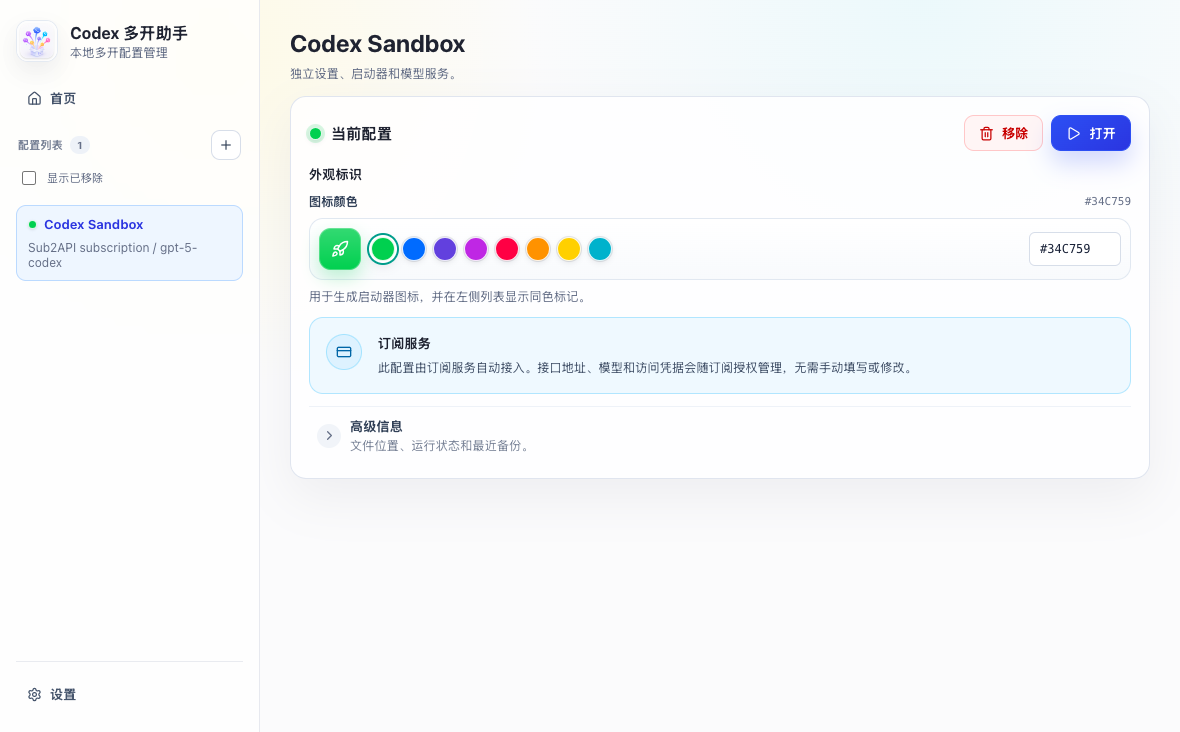
Renewing the same plan lets the original profile continue automatically. After buying a different plan, open the existing profile and select Reauthorize subscription to bind the new active subscription. Your local projects and conversations remain intact.

Troubleshooting
Payment remains “Processing”
Wait 1–2 minutes and do not pay again. If it remains unchanged after 5 minutes, email your account email, order number, and payment time to jqy.tieniu@gmail.com.
The browser did not return to the app
Switch back to Codex Multi Launcher first. If it still shows a waiting state, refresh the original authorization page or start a new authorization session. An already active subscription will not require another payment.
I renewed or switched plans
The same-plan renewal works automatically. For a different plan, use “Reauthorize subscription” on the existing profile and select the active plan.
Usage limit or too many requests
A usage-limit error means one of the plan limits has been reached. RPM means requests per minute; it is not the number of open windows.
Security and support
- The desktop app never receives administrator credentials, upstream master keys, or payment secrets.
- A one-time authorization exchange creates a device credential, which is encrypted locally.
- Payment details are handled by the selected payment provider and are not stored by Codex Multi Launcher.
- Expired, refunded, or revoked subscriptions can no longer send requests.
For technical issues, use GitHub Issues. For payment, refunds, or private account details, contact jqy.tieniu@gmail.com.