
ChatGPT desktop app · Codex Desktop · multiple windows · macOS · Windows
Multiple ChatGPT desktop app windows
and isolated Codex Desktop profiles
Run multiple ChatGPT desktop app and Codex Desktop windows side by side. Each profile can use a separate account, API provider, app data directory, selected conversation history, or a subscription configured without entering an API key.
- macOS builds are Developer ID signed and notarized
- Windows installer and portable builds
- API keys stay encrypted on your device
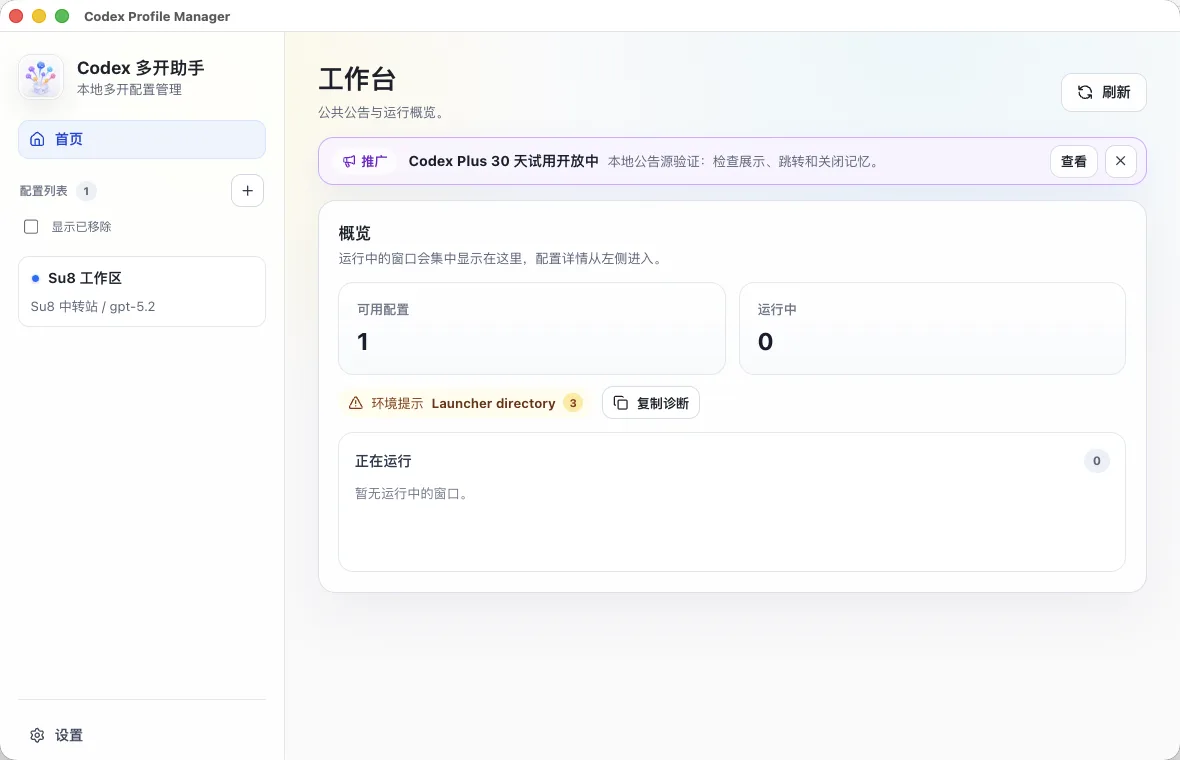
More than another window
Isolate account state, provider settings, and work history.
Each profile receives its own Codex home and desktop app data directory. During creation, you decide how to authenticate and which existing conversations should be copied into the new independent profile.
Common workflows
Create a profile around the way you work.
Use multiple ChatGPT accounts
Keep work and personal account sessions in separate desktop windows.
Account isolation guideCopy selected conversation history
Bring project conversations, temporary tasks, or both into a new profile.
History sync guideUse a different API in each window
Configure OpenAI API keys or providers that actually implement the Responses API.
Provider configurationRun isolated profiles on Windows
Windows x64 installer and portable builds with path and permission handling.
Windows guideStart without entering an API key
Register, choose a plan, pay, and authorize a ready-to-use Codex profile in one guided flow.
Subscription setup guidePlatforms
Choose the package for your device.
Get started